Run Codex on your desktop. Control it from anywhere nearby.
EasyCodex turns your computer into a secure relay for Codex agents and gives your Android phone a production-grade control surface for live tasks, approvals, diffs, attachments, CLI windows, and notifications.
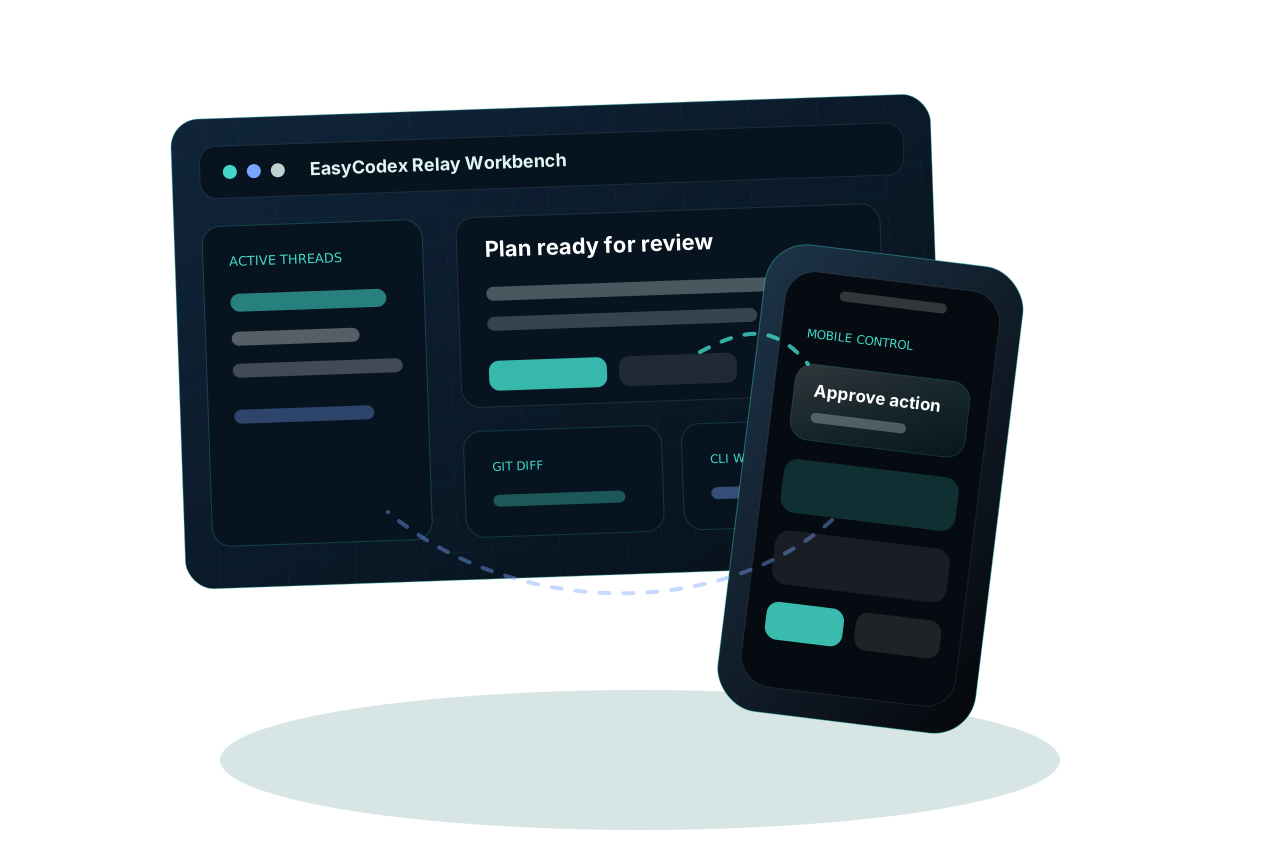
A Real Control Plane, Not a Chat Shell
Product surface
Everything that usually pulls you back to the laptop is available on mobile.
EasyCodex keeps the agent process on your workstation while exposing the decisions, files, and runtime state you actually need to manage work. The phone can follow a long-running session, queue a follow-up while Codex is busy, answer approvals, inspect Git output, and receive completion notifications.
How EasyCodex Works
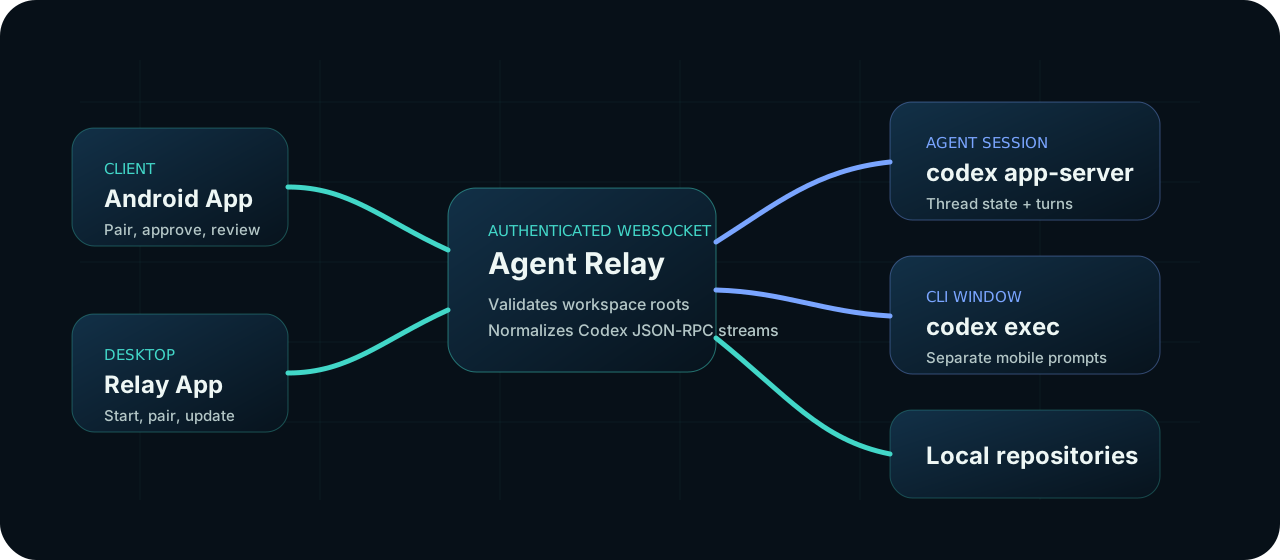
The desktop relay displays a QR code and `easycodex://connect` deep link. The Android app stores the relay URL and API key locally, then connects over an authenticated WebSocket.
The relay only allows file, Git, CLI, and agent cwd operations inside known workspace roots or explicitly trusted directories.
For agent sessions, the relay launches `codex app-server`, initializes a thread, and converts Codex JSON-RPC events into stable mobile and desktop messages.
Approvals, user-input prompts, plan reviews, command output, file changes, and queued follow-ups are streamed back to the phone and desktop workbench.
Why Teams Would Use It
Keep Codex running on the workstation and approve or redirect the task from your phone when it reaches a decision point.
The phone does not receive a copy of the repository. It talks to your own relay, which enforces workspace boundaries.
EasyCodex surfaces plans, sub-agent activity, command output, diffs, Git status, CLI windows, and unread completions.
Security Model
WebSocket clients and health checks require the relay API key.
File, Git, CLI, and agent runtime actions are validated against allowed roots.
Relay state lives under `~/.easycodex/`; Codex state remains under `~/.codex/`.
Ready to try it
Download the relay and pair your Android controller.
Install the desktop relay, scan the QR code, choose a workspace, and start controlling Codex sessions from your phone.